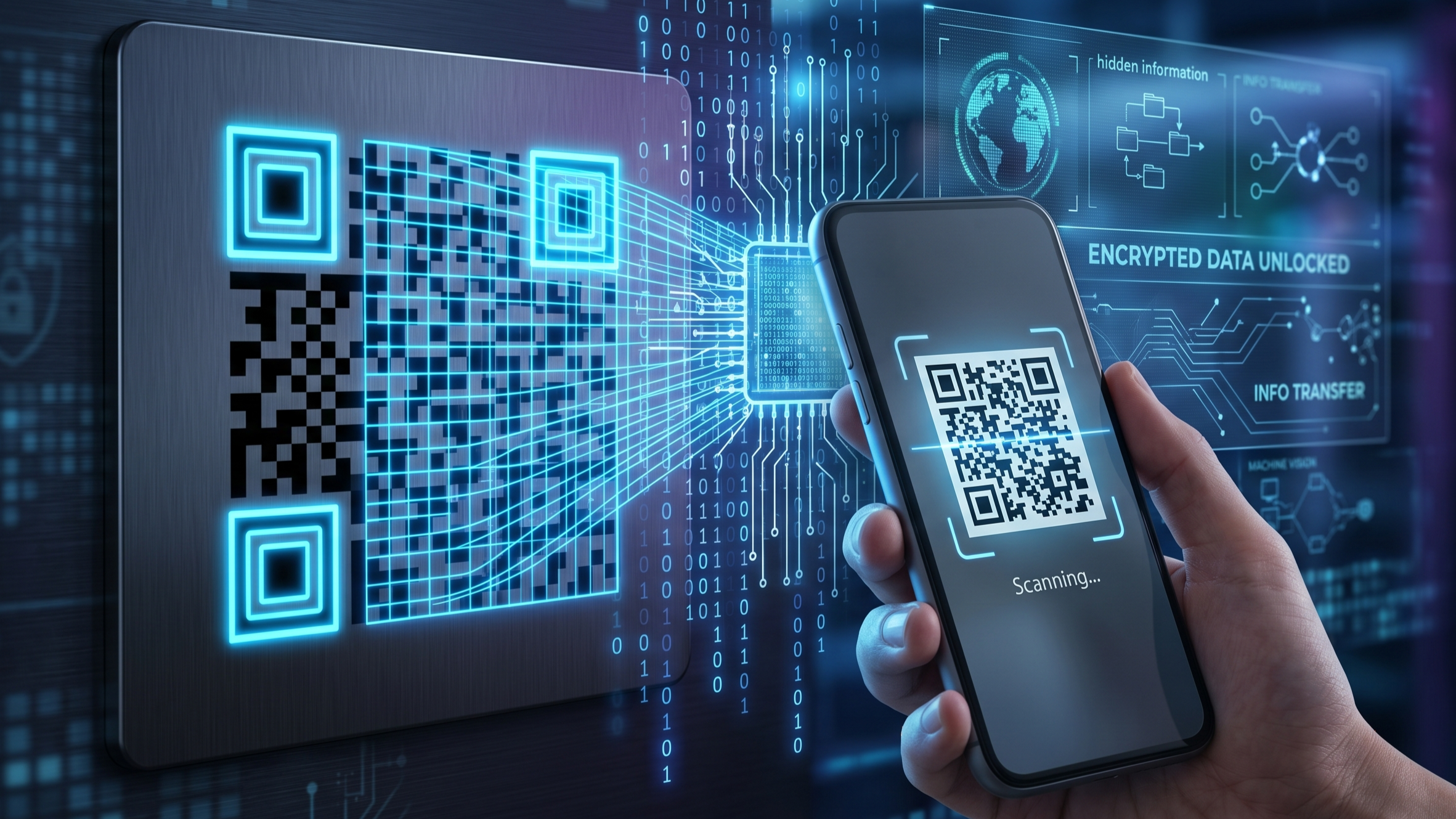
The Secret Hidden Inside Those Black Squares
You scan them to pay, open menus, log into apps, and access websites in seconds.
But QR codes aren’t just random patterns.
They’re a brilliant fusion of binary mathematics, machine vision, and error correction engineering — designed to let machines read information almost instantly.
Let’s explore the hidden science behind one of the most overlooked technologies in modern life.
What Does QR Actually Mean?
QR stands for Quick Response.
Created in 1994 by Denso Wave in Japan, QR codes were originally built for tracking automotive components faster than standard barcodes.
The goal was speed, storage, and reliability.
And today, that same technology powers:
- Digital payments
- App logins
- Product tracking
- Tickets
- Smart automation
Why QR Codes Are More Powerful Than Barcodes
Traditional barcodes store data in one direction only — horizontally.
QR codes store information:
- Horizontally
- Vertically
This two-dimensional structure dramatically increases storage.
| Feature | Barcode | QR Code |
|---|---|---|
| Data Type | 1D | 2D |
| Storage Capacity | Limited | Massive |
| Scan Angle | Mostly straight | Almost any angle |
| Damage Resistance | Low | High |
In simple terms:
A barcode reads like a line. A QR code reads like a grid.
How Black Squares Become Information
A QR code is made of tiny blocks called modules.
Each module represents data in binary:
- Black = 1
- White = 0
When your phone scans the code, software interprets these patterns as encoded instructions.
That information may contain:
- URLs
- Payment IDs
- Contact cards
- Authentication tokens
- Wi-Fi credentials
The 3 Corner Squares — The Code’s Navigation System
Those large squares in three corners are called Finder Patterns.
They help scanners instantly determine:
- Orientation
- Scale
- Position
- Rotation angle
This is why QR codes can still scan:
- Sideways
- Upside down
- Slightly damaged
Without finder patterns, scanning would be far slower and less accurate.
The Genius Feature: Error Correction
One of the smartest parts of QR technology is that it can still work even when partially damaged.
This happens through Reed-Solomon Error Correction.
Recovery levels:
- L = 7%
- M = 15%
- Q = 25%
- H = 30%
Meaning:
Even if part of the code is scratched, dirty, or covered by a logo, the scanner can often rebuild the missing data.
This is why many branded QR codes still function perfectly.
How Your Phone Reads a QR Code in Milliseconds
The process:
- Camera captures image
- Software identifies finder patterns
- Grid alignment begins
- Binary data is extracted
- Error correction repairs damage
- Final output is displayed
This process combines:
Computer vision + pattern recognition + digital decoding
Static vs Dynamic QR Codes
Static:
- Permanent data
- Cannot be edited
- Best for fixed info
Dynamic:
- Redirect-based
- Editable destination
- Useful for analytics and marketing
Hidden Risks — Can QR Codes Be Dangerous?
Yes.
Because humans can’t visually read QR destinations, scammers may replace real codes with malicious ones.
Common threats:
- Fake payment pages
- Malware downloads
- Phishing websites
Safety rule:
Always verify the link or payment receiver before proceeding.
Fun Fact
A single QR code can store:
Up to 7,089 numeric characters
That’s far more than most people realize from such a small printed square.
The Bigger Engineering Lesson
QR codes are a perfect example of how advanced technology often looks simple.
Behind a basic black-and-white square exists:
- Binary encoding
- Data masking
- Error correction
- Machine vision
- Information theory
It’s not just a shortcut —
It’s a compact communication system.
Final Thought
The next time you scan a QR code, remember:
You’re not scanning an image.
You’re decoding structured machine language designed for speed, resilience, and instant interaction.
FAQ Section
Q1: Do QR codes always require internet?
No. Scanning reads data locally. Internet is only needed if the code links to online content.
Q2: Why do QR codes still work when damaged?
Because of built-in error correction algorithms.
Q3: Can two QR codes look similar but do different things?
Yes. Small pattern differences can completely change the stored data.
Q4: Are QR codes safer than links?
Not automatically — always verify where they lead.
Share this article