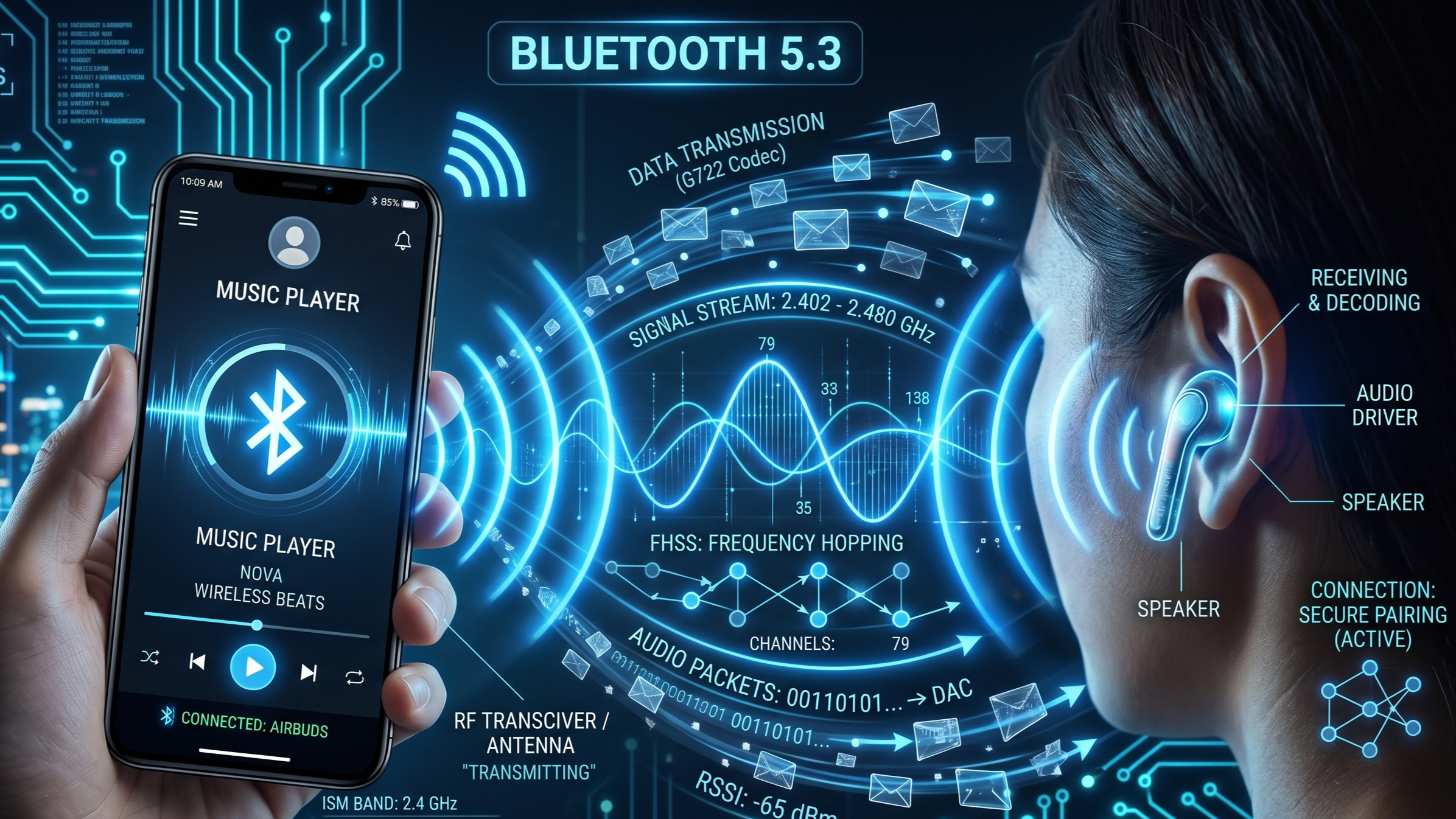
How Bluetooth Actually Works — How Your Earbuds Talk Without Wires
You open your wireless earbuds case…
…and within seconds, music starts playing from your phone.
No wires. No visible connection. No complicated setup.
It feels effortless.
But behind that convenience is one of the smartest short-range communication systems ever built — Bluetooth.
Every time you connect earbuds, smartwatches, keyboards, speakers, or even your car, Bluetooth is quietly handling a complex dance of radio signals, authentication, compression, and power management.
So how do two devices “find” each other and communicate through thin air?
Here’s what’s actually happening.
First: Bluetooth Is Wireless Radio Communication
Bluetooth uses short-range radio waves to send data between devices.
It operates in the 2.4 GHz ISM band — the same general frequency zone used by:
- Wi-Fi
- Microwave ovens
- Some cordless devices
But Bluetooth was designed differently:
Goal: Low power + Short range + Reliable connection
This makes it perfect for:
- Earbuds
- Smart bands
- Wireless mouse
- Game controllers
- Car audio
In simple terms:
Your phone = Sender/Receiver
Your earbuds = Sender/Receiver
Both devices constantly exchange tiny packets of data.
How Devices Find Each Other
Before audio starts, devices need to discover one another.
Step 1: Advertising
Your earbuds broadcast a small signal saying:
“I’m here. Available for pairing.”
Step 2: Scanning
Your phone scans nearby Bluetooth signals.
Step 3: Pairing
When selected:
- Devices exchange identity information
- Security keys are created
- A trusted connection is stored
That’s why after first pairing, your earbuds reconnect automatically.
Why Bluetooth Doesn’t Usually Interfere Constantly
The 2.4 GHz band is crowded.
So Bluetooth uses something clever:
Frequency Hopping Spread Spectrum (FHSS)
Instead of staying on one channel, Bluetooth rapidly jumps between channels — up to 1,600 times per second.
This avoids:
- Signal congestion
- Interference
- Packet collisions
Think of it like changing lanes constantly in traffic to avoid jams.
Bluetooth Versions Changed Everything
Bluetooth Classic
Used for:
- Headphones
- Speakers
- Car systems
Higher data rates, more power use.
Bluetooth Low Energy (BLE)
Used for:
- Smartwatches
- Fitness bands
- Sensors
Lower speed, extremely efficient battery life.
That’s why a fitness tracker can last days or weeks.
How Audio Travels to Earbuds
Audio isn’t sent raw.
Your phone compresses it using codecs.
Common codecs:
- SBC (basic standard)
- AAC (better for Apple devices)
- aptX (lower latency)
- LDAC (higher quality)
Why this matters:
Better codec = Better sound OR lower delay
This is why cheap earbuds may sound “fine,” while premium ones sound richer.
The Real Challenge: Latency
Latency = Delay between sending and hearing.
Too much latency:
- Video lips don’t match
- Gaming feels delayed
Modern Bluetooth reduces this with:
- Better codecs
- Faster chips
- Bluetooth 5.x improvements
Bluetooth Range Explained
Typical range:
- Class 2 devices (most earbuds): ~10 meters
- Class 1 devices: Up to 100 meters
Walls, metal, and interference reduce this significantly.
So your earbuds may cut out not because they’re broken…
…but because physics is winning.
Why One Earbud Can Die First
In many TWS (True Wireless Stereo) systems:
- Phone connects to primary earbud
- Primary relays signal to secondary
This extra work can drain one side faster.
Newer systems improve this with independent connections.
Security: Can Someone Hack Bluetooth?
Bluetooth includes encryption, but risks exist if:
- Devices stay discoverable
- Old protocols are used
- Public pairing is careless
Basic rule: Turn Bluetooth off when not needed in crowded areas.
Fun Fact
The name Bluetooth comes from Harald “Bluetooth” Gormsson, a Viking king who united Denmark and Norway.
The technology was named after him because it “unites” devices.
Yes — your earbuds are named after a Viking.
Why Bluetooth Changed Modern Life
Without Bluetooth:
- Wireless earbuds wouldn’t exist
- Smartwatches would be limited
- Portable keyboards/controllers would be annoying
- Cars would feel outdated
It quietly removed millions of wires from modern life.
The Bigger Thought
Bluetooth is a perfect example of advanced engineering becoming invisible.
You don’t see:
- Radio packet switching
- Error correction
- Frequency hopping
- Codec compression
You just hear music.
And that may be the true sign of great technology:
When something incredibly complex feels effortless.
Frequently Asked Questions (FAQ)
1. Does Bluetooth use internet?
No. Bluetooth does not require internet to connect devices. It creates a direct short-range wireless link between devices using radio waves. However, some Bluetooth devices (like smartwatches) may use your phone’s internet after connecting.
2. Why is Bluetooth range so limited?
Bluetooth is designed for low power consumption, not long-distance communication. Most consumer devices prioritize battery life over range, which is why earbuds usually work best within about 10 meters.
3. Is Bluetooth harmful to health?
Bluetooth uses low-power non-ionizing radio waves, which are far weaker than many other wireless systems. Current scientific evidence considers standard Bluetooth devices generally safe for everyday use.
4. Why do Bluetooth earbuds sometimes lag during gaming?
Bluetooth audio must:
- Compress sound
- Transmit wirelessly
- Decode it in earbuds
This process creates latency. Gaming modes and low-latency codecs like aptX Low Latency help reduce delay.
5. Can Bluetooth and Wi-Fi interfere with each other?
Yes, because both often use the 2.4 GHz band. However, Bluetooth’s frequency hopping technology helps minimize interference.
6. Why does Bluetooth pairing fail sometimes?
Common reasons:
- Device already connected elsewhere
- Low battery
- Too much distance
- Software bugs
- Old saved pairing conflicts
Resetting Bluetooth or forgetting/re-pairing often fixes it.
7. What is the difference between Bluetooth and Wi-Fi?
Bluetooth: Short range, lower power, device-to-device communication
Wi-Fi: Longer range, higher speed, internet/network access
In simple terms: Bluetooth connects accessories, Wi-Fi connects networks.
Final Thought
Bluetooth may seem simple on the surface, but it’s actually a masterclass in efficient engineering — balancing speed, battery life, security, and convenience inside tiny chips.
The next time your earbuds instantly connect…
You’ll know there’s an invisible storm of smart engineering making that tiny moment possible.
Share this article